Local-first · No account · Blazing fast

Your assets, your folders.
Seamlessly organized.

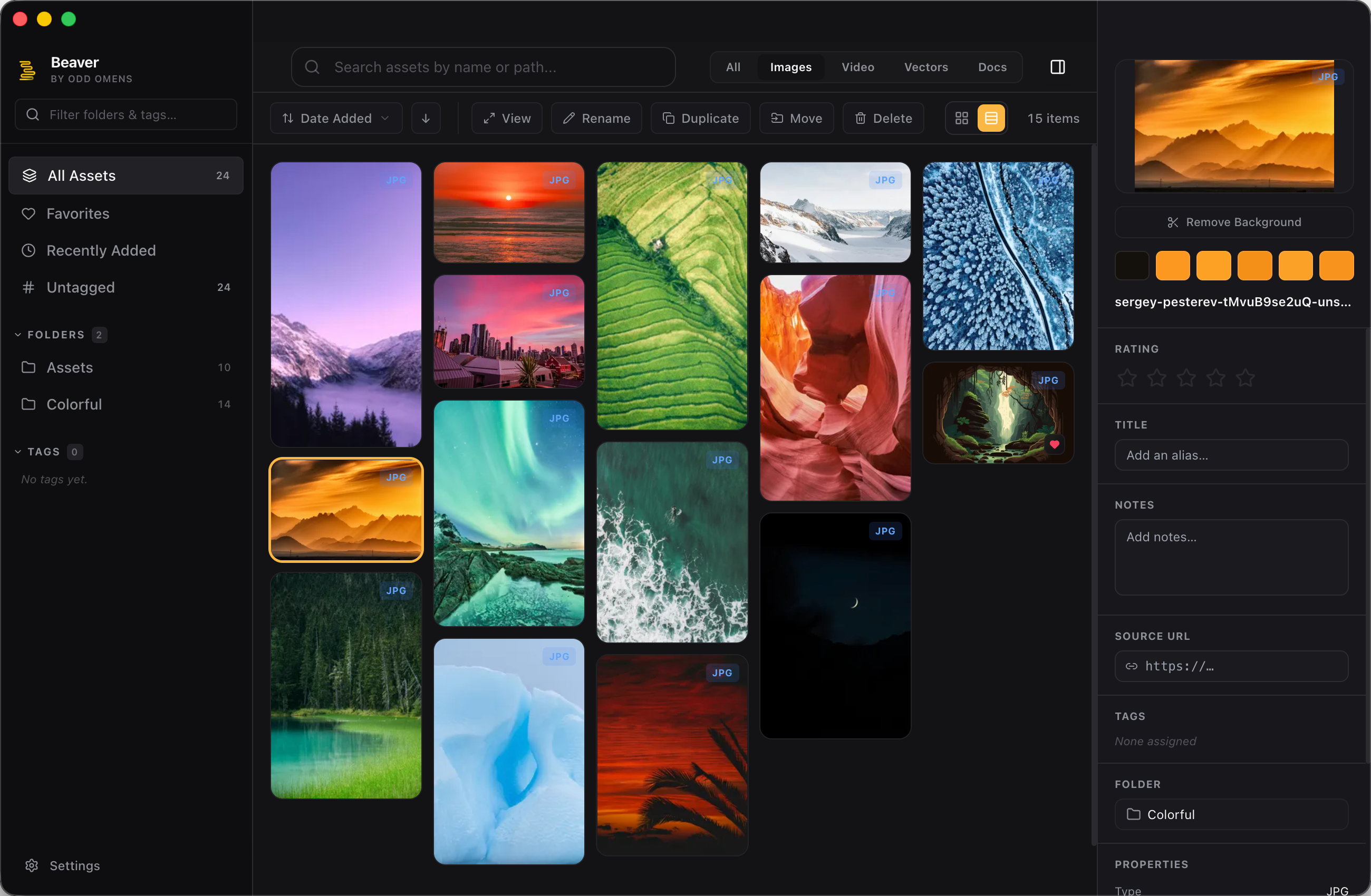
High-performance Digital Asset Management for designers. Instantly index, tag, and search your assets exactly where they live on your machine. No cloud.
Download Free View on GitHub
Beaver UI
High Speed Local Indexing Smart Tags EXIF Metadata Format Agnostic Clean UI Folder Sync Batch Rename Privacy First High Speed Local Indexing Smart Tags EXIF Metadata Format Agnostic Clean UI Folder Sync Batch Rename Privacy First High Speed Local Indexing Smart Tags EXIF Metadata Format Agnostic Clean UI Folder Sync Batch Rename Privacy First High Speed Local Indexing Smart Tags EXIF Metadata Format Agnostic Clean UI Folder Sync Batch Rename Privacy First
0s
Import time
Local
Folder sync
0
Accounts required
Free
Open source

Your assets belong to you — not a server, not a proprietary database. Beaver organizes your files exactly where they live, lightning fast.

Features

Everything your workflow needs.

From bulk tagging to smart folders — every tool is designed to manage large assets locally.

No Proprietary Copies
Indexes your existing folders directly. Your files stay exactly where you put them on your drive.
Blazing Fast
Built for speed. Instantly scroll through thousands of high-res images and videos without stuttering.
Smart Tagging
Auto-extract EXIF data and apply custom tags in bulk to keep your digital library organized.
Format Agnostic
Preview PSDs, AIs, SVGs, RAW photos, videos, and fonts natively right inside the app.
No Account Needed
No sign-up. No email. No subscription. Download, open, and start organizing — free forever.
Clean Design
A beautiful, minimalistic interface that gets out of the way so your assets can take center stage.
How it works

Up and running in minutes.

Native macOS app or self-hosted in your browser — pick whatever fits your workflow.

I
Choose your version
Download the macOS app for the cleanest experience, or self-host in the browser if you prefer full control.
II
Install
Open the DMG and drag to Applications — or run npm install && npm run dev in the repo folder.
III
Select your folders
Point Beaver at your existing asset folders. It indexes everything instantly without moving a single file.
Get Beaver

Two ways to run it.

Pick the version that fits how you work. Both are free, open-source, and never move your files.

Self-hosted
Run in Your Browser
Clone the repo, run a local dev server, and open Beaver in any browser. Works on macOS, Windows, and Linux.
1
Clone or download from GitHub
2
Run npm install in the project folder
3
Start with npm run dev — opens at localhost:5180
View on GitHub
Requires Node.js 18+ · macOS, Windows, Linux

Free and open source

Beaver is MIT licensed. Read the code, fork it, contribute — it's yours.

FAQ

Common questions.

Yes. Beaver is MIT licensed and free to download, use, and modify indefinitely. There's no paid tier, no trial period, and no features locked behind a paywall. Ever.
Nowhere new. Beaver indexes files directly where they currently live on your hard drive. It doesn't move them to a hidden proprietary folder.
Completely. The native macOS app requires no internet connection at all. The self-hosted version runs a local server on your machine — same story, no cloud required.
Yes. Because Beaver doesn't move or rename your files, you can continue using Finder, Windows Explorer, or any other tool simultaneously without conflict.
The native app is currently macOS only. The self-hosted version (clone the repo and run npm run dev) works on macOS, Windows, and Linux.
Start organizing your assets.

Free, local, and yours. No account, no subscription, no strings.

Download for macOS View on GitHub